


















How it works:

Choose your product
Choose the right product for your needs and activate the convenient subscription option directly on the product page.

Set your interval
Determine which delivery frequency best suits you and your infestation level.

Benefit from exclusive advantages
Look forward to free shipping, a 10% discount on every delivery, and a pest-free home.
Frequently Asked Questions
The GREEN GUARDIA subscription is the easiest and most reliable way to receive your products regularly – exactly when you need them.
This ensures that you keep pests under control long-term and that your home or plants remain sustainably protected.
We automatically deliver the products you have chosen at your desired delivery interval, so you don't have to reorder every time.
Additionally, you save 10% on every delivery and benefit from free standard shipping as well as other exclusive advantages.
Our subscription is flexible and can be adjusted online at any time: change delivery intervals, swap products, or pause – just as you need.
You always maintain full control:
A few days before each delivery, you will receive a reminder email and can then conveniently decide if you would like to adjust the quantity, delivery date, or interval. Of course, you can also cancel your subscription at any time – with no minimum term and no hassle.
Starting a subscription is very simple:
Activate the subscription option directly on the respective product page, select your desired delivery interval, and complete the order as usual.
Please note: Only the product you have selected will be delivered in the subscription. Other items or gifts in your shopping cart are not part of the subscription.
After starting your subscription, you will receive a confirmation email.
In it, you will find a link that allows you to flexibly manage your subscription at any time.
If you did not have a customer account before, one will be created for you automatically. You will receive a separate email to manage future orders, products, and your account details easily.
Your subscription orders are automatically triggered at the chosen interval.
Billing always occurs on the day of shipping.
Once your subscription is active, you can manage it flexibly at any time.
You can change the next order date, skip a delivery, adjust the delivery interval, or cancel your subscription.
Simply log in to your customer account and open the “Your Subscriptions” section.
Please note: Changes or cancellations may take up to 24 hours to be fully processed.
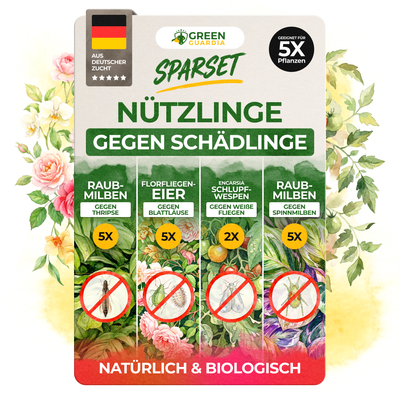
For fixed subscriptions, such as parasitic wasps, cancellations are not necessary.
Change order date
To adjust the date of your next order, open the “View next order” option in your subscription section and click on “Reschedule”.
Then select a new date.
If you have multiple subscriptions and only want to change the date for a specific product, select that product and click “Edit” to adjust the order date individually.
Change delivery interval
The current delivery interval is displayed directly next to each of your subscribed products.
Simply click on the displayed interval to change it and select the rhythm that works best for you.
Skip delivery
If you would like to pause a delivery, open “View next order” and select “Skip” there.
This will skip the entire upcoming order.
Cancel subscription
To cancel your subscription, open the “My Subscriptions” area and select the relevant product.
For fixed subscriptions, such as parasitic wasps, cancellations are not necessary.
Scroll down and click on “Cancel subscription”, then you can select a reason.
As soon as the cancellation is confirmed, no further orders will be triggered. You will receive a confirmation email for this.
Please note: Full processing can take up to 24 hours.
Tip: Keep your subscription & adjust it flexibly
If you only want to change your subscription because your current needs have changed, you don't necessarily have to cancel it.
Instead, you can skip a delivery, adjust the delivery interval, or even switch the product within the subscription – especially practical if you prefer different GREEN GUARDIA products seasonally.
This way you keep all the benefits:
free shipping, 5% discount on every delivery, and double loyalty points.
If you cancel, these benefits will be lost.
You can view your next delivery at any time in your subscription area.
Simply log in to your customer account and click on the blue “Your Subscriptions” button. There, you will find the date of your next delivery as well as all products included in that order.
If you want to adjust something – e.g., skip a delivery or make changes – you can do so easily directly from there.
The following payment methods are available for subscriptions:
- Credit card
- PayPal
- Apple Pay, Google Pay, Shop Pay
Please note: Klarna can only be used for one-time orders and is not available for subscriptions.